01
Shoot
Photograph the pill or pick one from your album.
Snap it, confirm it, take it on time.
Every moment of medication care lives in one app.
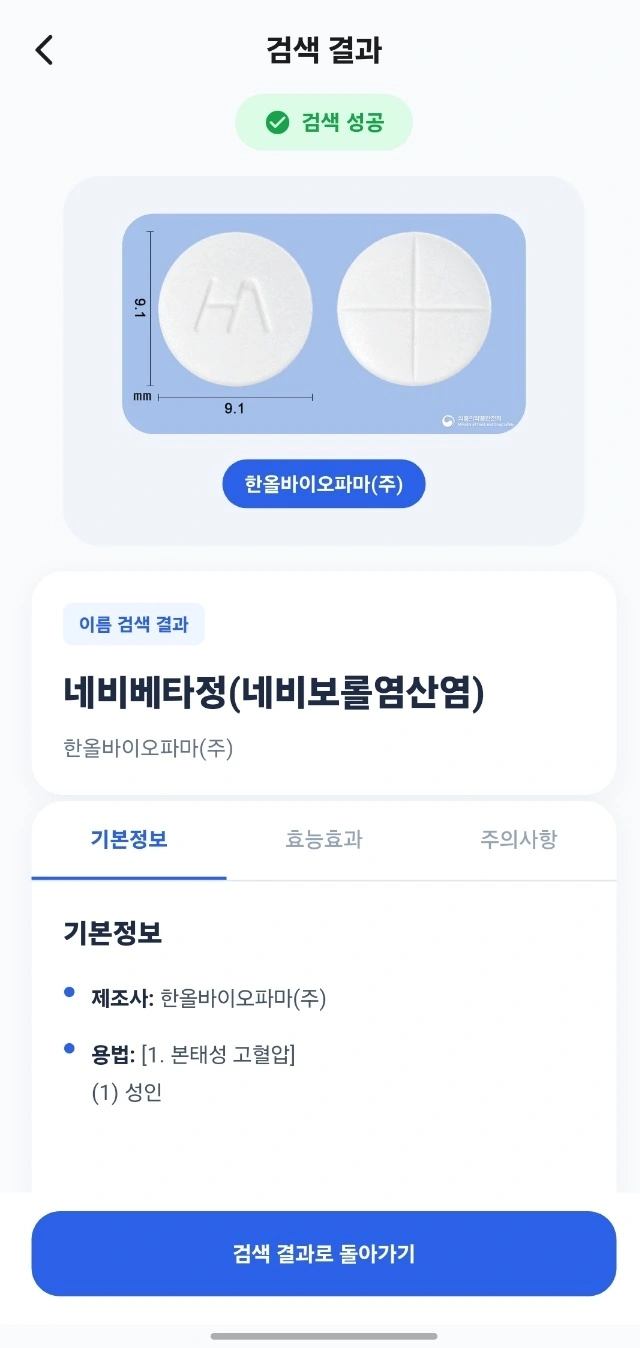
Snap a pill or pick one from your album and the registration candidates come up. Check the name, shape, colour and imprint with your own eyes, then choose.
Nothing lands in My Pillbox unless you picked it. Indications and precautions stay there, ready to open again whenever you need them.
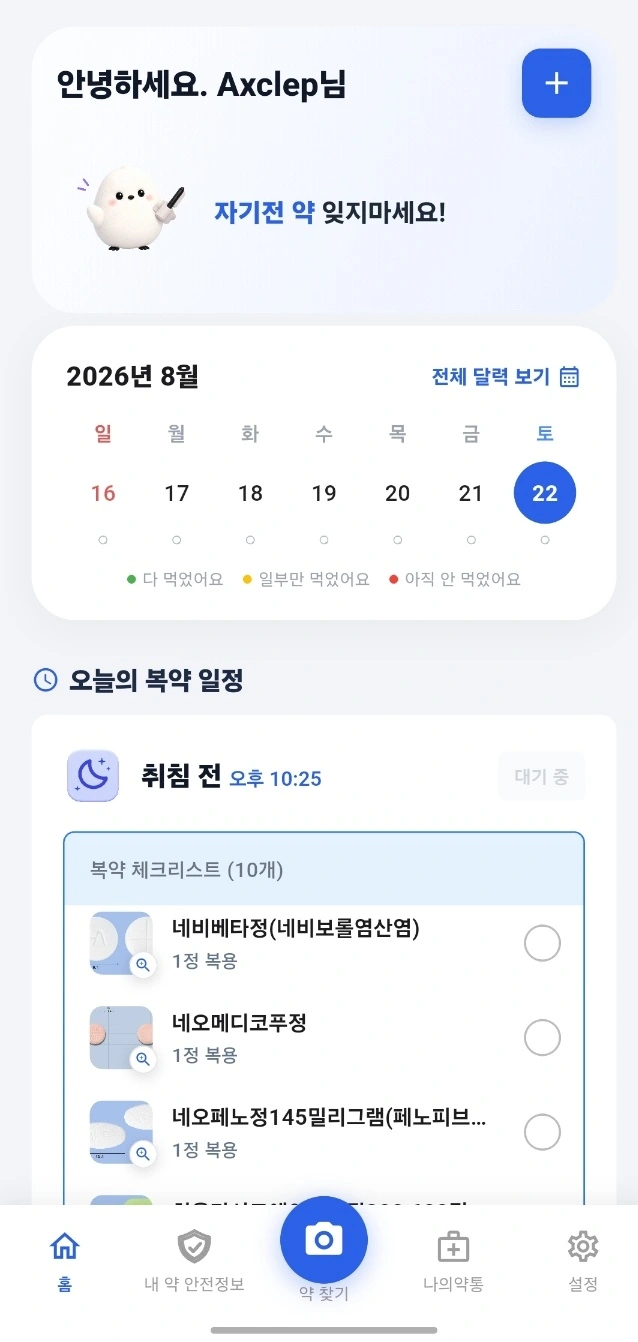
Morning, midday, evening, before bed. A reminder arrives at every time you set, and one tap on the home checklist records whether you took it.
No one should miss a dose just because they could not recognise the pill.
BOIM is not an app that finds your medicine. It is an app that gets you to take it.
Upload a photo and BOIM narrows the candidates by shape, colour and imprint. You can start without knowing the name.
An alert at every dose. Taken or missed is one tap, and then you are done.
Fully taken, partly taken, not yet. The whole month reads at a glance.
Basic details, indications and precautions for everything you registered, right inside the app.
Every feature in BOIM costs nothing.
Photograph the pill or pick one from your album.
Compare name, shape, colour and imprint side by side.
Pick the right one yourself and save it to My Pillbox.
Set the times: morning, midday, evening, before bed.
Mark it on the home checklist once you have taken it.
BOIM does not diagnose, treat or prescribe, and it does not decide whether a medicine is safe for you, what dose to take, or when to stop. Photo-based candidates are for reference only and may differ from the actual product. Always consult a doctor or pharmacist for medical judgement.
BOIM is a personal medication management app. It finds registration candidates from a single photo of a pill, keeps the one you confirm in My Pillbox, and reminds you at every dose. It is free on Google Play.
BOIM narrows the candidates by name, shape, colour and imprint and shows them to you. You confirm which one is yours — the app never decides for you. Photo-based candidates are for reference and may differ from the actual product.
Every feature in BOIM is free. There is no subscription and no in-app purchase.
At the times you set — morning, midday, evening, before bed. One tap on the home checklist records whether you took it, and the calendar shows the whole month in colour.
No. BOIM does not diagnose, treat or prescribe, and it does not decide whether a medicine is safe for you, what dose to take, or when to stop. Always consult a doctor or pharmacist for medical judgement.
You can delete it in the app, or email support@boimlab.com. The account deletion page lists exactly what is removed, what is retained, and how long it takes.
For trouble with the app, go to Support. For partnerships, reach us on the company site.